Software we ship. Game servers we run.
Fusenode is a software house and a game hosting company. Our tools keep themselves up to date through our update API, and our game servers come with a control panel built by people who actually run servers.
Servers that deploy themselves
42+ games from $4.99 a month, on dedicated vCPU with unlimited player slots, backups every six hours and an AI that diagnoses and repairs crashes. Priced under the big-name hosts, with no contract and no 24-month lock-in.





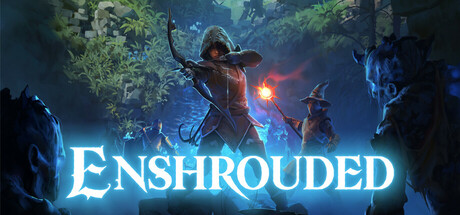

+ 34 more games
Plans, pricing and how we compare →Tools that stay current
Every Fusenode product checks in with its own update endpoint on launch, so “there’s an update” is never something your users find out the hard way. Buy once, download, and stay on the latest build.
LoveCraft RAM Guard
Caps LoveCraft's RAM so long sessions don't swallow your whole PC.
PixelPress
Drag-and-drop batch image compression, PNG to optimized JPEG.
TaskDrop
A Windows desktop sidebar for tasks that stays out of your way.
How software updates work
Every Fusenode product ships with its own check-in address, like fusenode.org/api/updates/lovecraft-ram-guard. Here’s the loop.
The app checks in
On launch (or on a timer), the installed product calls its Fusenode endpoint and reports its current version.
Fusenode compares versions
We check that version against the latest one published for that product and channel.
The user gets prompted
If something newer exists, the app shows "There's an update! Click here to update" with a direct download link.
One endpoint per product
Plain HTTP GET, so any client — a desktop app, a game client, a CLI tool — can call it with nothing but a URL.
REQUEST
GET /api/updates/lovecraft-ram-guard
    ?version=1.2.2.0

Host: fusenode.org
RESPONSE
{
  "product": "lovecraft-ram-guard",
  "currentVersion": "1.2.2.0",
  "latestVersion": "1.2.2.2",
  "updateAvailable": true,
  "downloadUrl": "https://fusenode.org/downloads/…",
  "releaseNotes": "Stability patch…"
}
Ready to look around?
One account for software purchases and game servers.